
Introducing Ponder Training
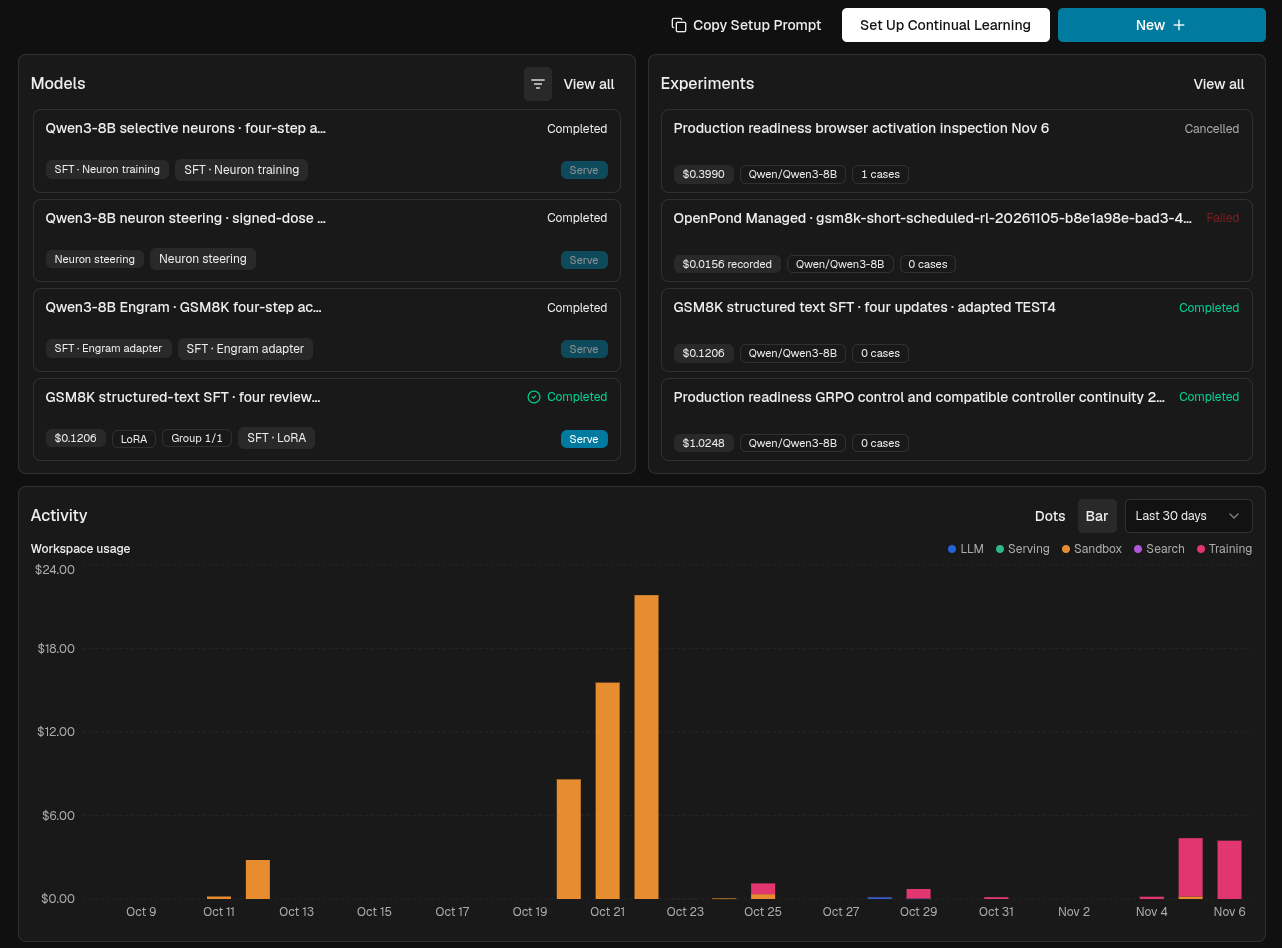
Our goal is for everyone to have their own continually updating model. Ponder Training is our post-training platform for taking the next step toward that goal.
On our path toward general continual learning, we've found that what part of the system you update matters. Ponder Training lets you explore those updates along with us, from supervised fine-tuning and reinforcement learning to adapters for weights, neurons, memory and decision behavior.
Workflows and adapters
Start with SFT, RL or Decision model, then choose an adapter for how the model changes.
| Workflow | Adapters | Purpose |
|---|---|---|
| SFT | LoRAEngram adapterNeuron training | Learn desired responses from reviewed demonstrations. |
| RL | LoRAEngram adapterNeuron training | Improve a policy using GRPO rewards. |
| Decision model | LoRAEngram adapterNeuron training | Train or score allowed choices from structured state. |
LoRA learns low-rank weight updates. Engram learns conditional memory. Neuron training learns selected weight columns. Decision models return scores for allowed choices.
Explore the adapter guide for the architecture and setup details.
Continual learning process
- Collect new tasks. Bring agent activity or your own pipeline into a Dataset, then review the examples and graders.
- Choose what learns and when. Connect a Model, choose its workflow and adapter, and set the learning cadence, task threshold and budget.
- Review each update. Train on the next eligible batch, compare the candidate on held-out tasks, and accept it or keep your current version.
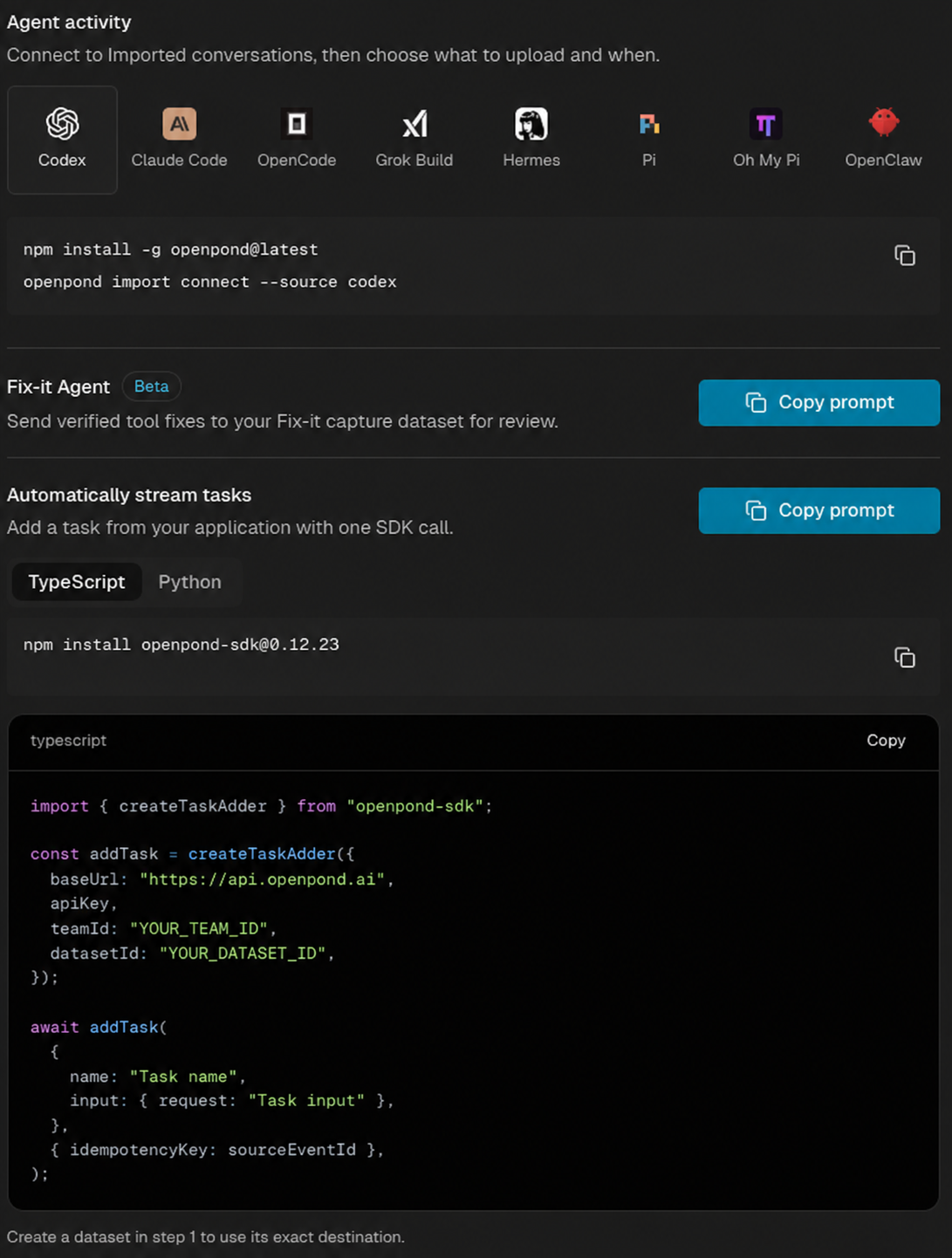
Create a Dataset and choose how to add tasks from your agents or application.
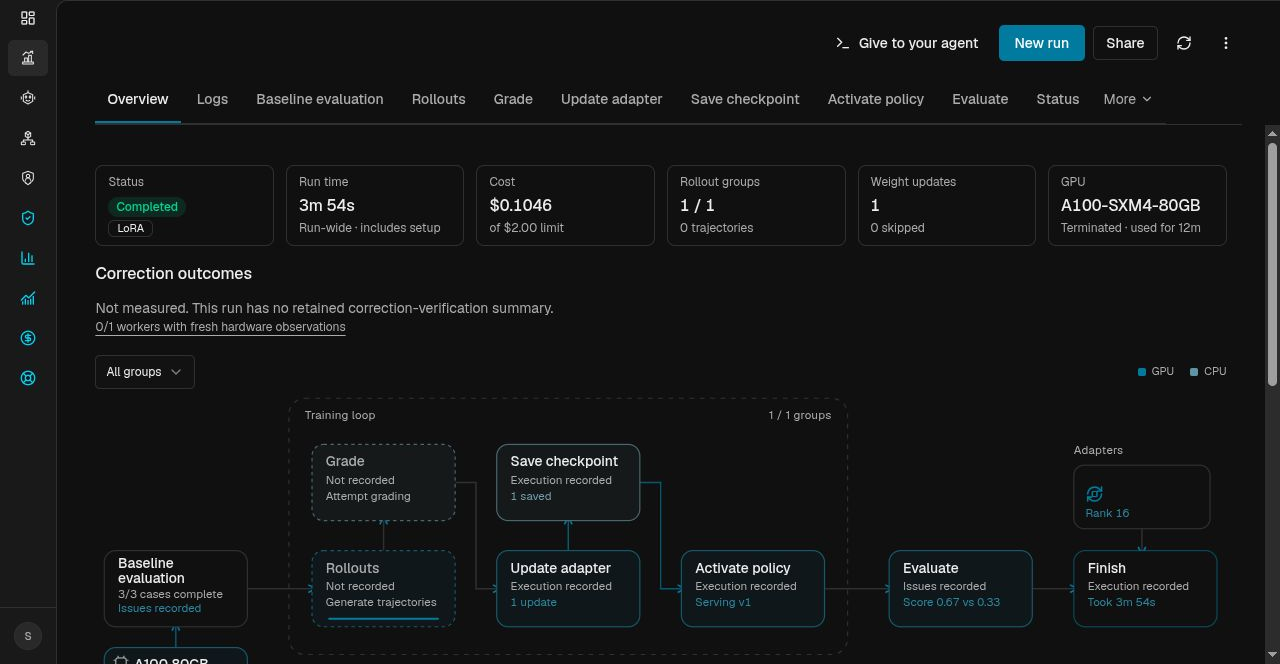
Follow each run from training through checkpoint saving and evaluation.
Set up continual learning to keep the process going as new reviewed tasks arrive.
A desktop app and harness to carry with you
If you'd like to bring your own key and use our hosted infrastructure for training, we've built an open-source desktop app to help you view, manage, and build your datasets and training modules. It also doubles as a durable harness to carry with you through training, keeping your projects and training work together as you iterate.

Review dataset tasks and graders alongside your chat, then prepare the next model evaluation.
You can also use the CLI and maintained skills from your own coding agent. Start with the desktop guide, set up Ponder Training in your harness, or explore the open-source repository.
Two practical measures of continual learning
We propose two simple metrics to measure progress toward a continually updating model:
- Adaptation time: Elapsed time from correction receipt to the first verified improvement, with pending corrections reported alongside the median. Serving is a separate milestone.
- Repeat rate: Confirmed repeats divided by confirmed repeats plus passed relevant opportunities. Unscored attempts are excluded, and Evaluation and Live are reported separately.
We want feedback to turn into useful improvements sooner, and corrections to carry forward into future work. These are the measures we want to improve as we build toward general continual learning.
Serve it your way
Host and serve supported model versions directly through the app, or download your weights and host them on your own infrastructure. In your product, configure a server client once, call your named Model, and explicitly send new work to its Dataset:
const answer = await openpond.models.support.generate({ prompt: question });
await openpond.addTask({ id: event.id, name: "Support question", input: { question } });
The SDK guide shows the matching client configuration and TypeScript/Python APIs. React uses your authenticated backend. Saved tasks can be reviewed, graded and admitted to later learning runs; receiving a task does not authorize training or switch the served model. The Dataset task table keeps review and training state beside individual grader results.
The serving guide covers activation and compatible runtimes.
Start an experiment, download the desktop app and harness, or join the community.Ready to get started?